

类型:医药保健 版本:4.5 官方最新版
大小:6.2M 时间:2014-09-26
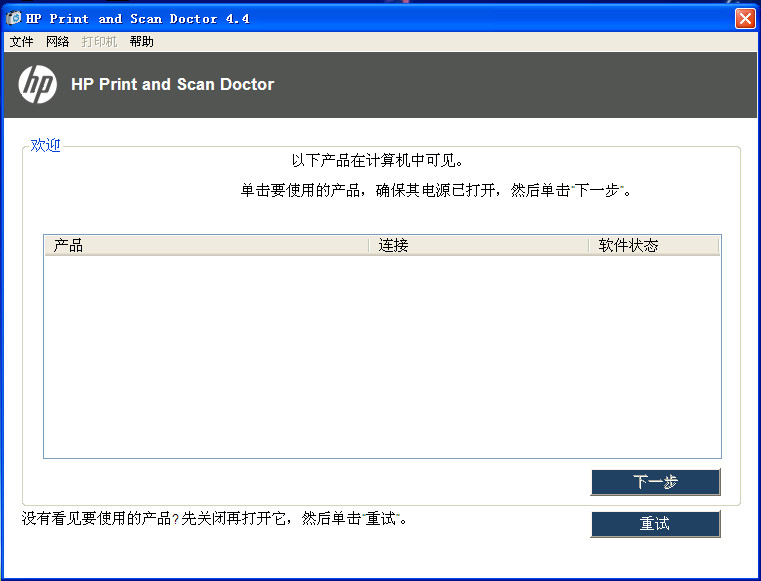
惠普设计的HP Print and Scan Doctor (HP 打印和扫描医生)提供了故障排除和解决问题的能力,可帮助用户解决连接到基于 Windows 的电脑时所遇到的许多常见问题。 集成HP 打印、扫描、网络和硬件诊断实用程序所具有的故障排除功能。
HP 打印诊断实用程序
HP 扫描诊断实用程序
HP 网络诊断实用程序
HP 硬件诊断实用程序
Microsoft Windows Vista
Microsoft Windows Vista Home Basic (32-bit)
Microsoft Windows Vista Home Premium (32-bit)
Microsoft Windows Vista Business (32-bit)
Microsoft Windows Vista Ultimate (32-bit)
Microsoft Windows 7 (32-bit)
Microsoft Windows 7 Home Basic (32-bit)
Microsoft Windows 7 Home Premium (32-bit)
Microsoft Windows 7 Professional (32-bit)
Microsoft Windows 7 Enterprise (32-bit)
Microsoft Windows 7 Ultimate (32-bit)
Microsoft Windows 7 Home Basic (64-bit)
Microsoft Windows 7 Home Premium (64-bit)
Microsoft Windows 7 Professional (64-bit)
Microsoft Windows 7 Enterprise (64-bit)
Microsoft Windows 7 Ultimate (64-bit)
Microsoft Windows 7 (64-bit)
Microsoft Windows Vista (64-bit)
Microsoft Windows Vista Enterprise (32-bit)
Microsoft Windows Vista Enterprise (64-bit)
Microsoft Windows 8 (32-bit)
Microsoft Windows 8 (64-bit)
Microsoft Windows 8.1 (32-bit)
Microsoft Windows 8.1 (64-bit)
Microsoft Windows Vista Home Basic (64-bit)
Microsoft Windows Vista Home Premium (64-bit)
Microsoft Windows Vista Business (64-bit)
Microsoft Windows Vista Ultimate (64-bit)
Microsoft Windows 8 Enterprise (32-bit)
Microsoft Windows 8 Enterprise (64-bit)
Microsoft Windows 8 Pro (32-bit)
Microsoft Windows 8 Pro (64-bit)
Microsoft Windows 8.1 Pro (32-bit)
Microsoft Windows 8.1 Enterprise (64-bit)
Microsoft Windows 8.1 Enterprise (32-bit)
Microsoft Windows 8.1 Pro (64-bit)
Microsoft Windows XP
HP Print and Scan Doctor 不支持装有 Windows RT 以及基于 ARM 处理器的平板电脑或电脑。无需安装其它打印软件。惠普建议用户使用 Windows RT 中包含的打印功能。 当您第一次执行 HPPSdr.exe 文件时,桌面上将创建(HP 打印和扫描医生)快捷方式。此便捷的快捷方式可用于轻松访问HP Print and Scan Doctor(HP 打印和扫描医生),获取您未来可能需要的故障排除和问题解决的相关帮助。